
You ever had that sinking feeling when you turn the key, hear nothing but a pathetic click-click-click, and immediately assume you need a brand-new battery? I used to do that all the time back when I was helping my dad in the garage, but here’s the truth: most people jump to the most expensive solution before they even try a simple battery voltage test. You don’t always need a replacement; sometimes your car is just struggling with a bad connection or an alternator that’s acting up. Before you head to the parts store and drop a couple hundred bucks on something you might not even need, you’ve got to stop guessing and actually see what’s happening with your electrical system.
I’m not here to give you some textbook lecture or throw a bunch of confusing jargon at you. I’m going to show you exactly how to grab a multimeter, hook it up, and run a proper battery voltage test that gives you the real story. We’ll go over what those numbers actually mean and how to tell if your battery is truly dying or if it’s just a minor fix that’ll save you a massive headache.
Table of Contents
- Step-by-Step Instructions
- Mastering Multimeter Settings for Dc Voltage Without the Fluff
- A No Nonsense 12v Battery Voltage Reading Guide for Everyone
- Pro Tips to Stop You From Frying Your Electronics
- The Bottom Line on Your Battery Health
- The Truth About Your Battery
- Don't Leave It to Chance
- Frequently Asked Questions
Guide Overview
Tools & Supplies
- Digital Multimeter (to measure voltage)
- Battery Terminals (to ensure clean contact points)
- Battery to be tested (1 unit)
- Safety Gloves (1 pair)
Step-by-Step Instructions
- 1. First things first, grab your multimeter and make sure it’s actually set to the right mode. You’re looking for DC voltage, which is usually indicated by a straight line over a ‘V’ on the dial. If you accidentally set it to AC, you’re going to get a reading that makes zero sense and you’ll just end up frustrated.
- 2. Pop the hood and locate your battery terminals. Before you even touch the meter, take a quick look at the posts; if they’re covered in that nasty white, crusty corrosion, your readings are going to be trash. Use a wire brush to clean those terminals until they’re shiny, otherwise, you’re just testing the gunk instead of the actual battery.
- 3. Now, get your probes ready. Take the red (positive) lead and touch it to the positive terminal, then take the black (negative) lead and touch it to the negative terminal. Make sure your connection is nice and firm so you don’t get a jumpy reading while you’re trying to focus.
- 4. Once you’ve got the probes steady, look at the screen. If the car is just sitting there with everything turned off, you’re looking for a reading around 12.6 volts. Anything lower than 12.2V means your battery is getting low, and if it’s sitting at 10V or less, it’s likely toast and needs replacing.
- 5. Here’s the real pro move: start the engine and check the voltage again while the car is idling. This tells you if your alternator is actually doing its job. You want to see that number jump up to somewhere between 13.5 and 14.7 volts. If it stays stuck at 12V while the engine is running, your alternator is failing and isn’t charging the system like it should.
- 6. Finally, do a quick “load test” if you can. Turn on your headlights and the heater fan for a few seconds, then check the voltage one last time. If the numbers plummet straight to the floor, your battery might have enough juice to start the car, but it doesn’t have the strength to hold a steady load.
Mastering Multimeter Settings for Dc Voltage Without the Fluff

Look, I’ve seen plenty of guys walk into the shop with a brand-new multimeter only to end up blowing a fuse because they didn’t know which dial to turn. When you’re looking at multimeter settings for DC voltage, you aren’t looking for the AC setting used in your house walls. You need to find the symbol that looks like a straight line with three little dots underneath it. If you’re working on a standard vehicle, set it to the 20V range. Don’t bother with the auto-ranging setting if you’re a beginner; it’s better to just manually select a range that’s slightly higher than what you expect to see so you don’t get a weird error reading.
Once you’ve got that dialed in, don’t just poke the probes at the terminals and call it a day. If you want a real automotive battery health check, make sure your black lead is firmly seated in the “COM” port and your red lead is in the “V” port. If your reading seems jumpy, it might be because your contact points are greasy. Clean those terminals off first. Getting the settings right is half the battle; the other half is making sure you have a solid connection so you aren’t chasing ghost numbers.
A No Nonsense 12v Battery Voltage Reading Guide for Everyone
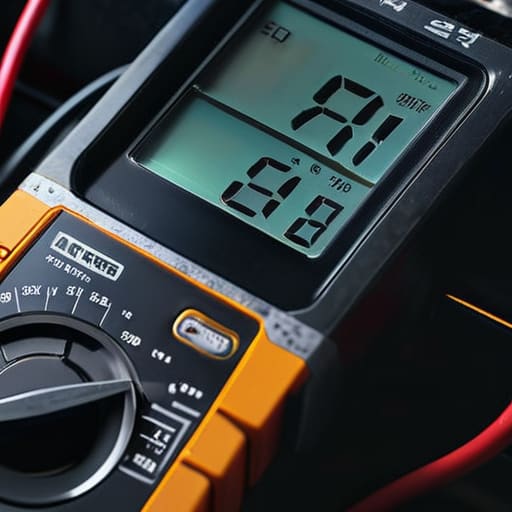
Look, once you’ve got your multimeter dialed in, you need to know what those numbers actually mean so you aren’t just staring at a screen. When your engine is off, a healthy battery should sit somewhere between 12.6 and 12.8 volts. If you’re seeing anything below 12.4, you’re looking at a battery that’s already struggling to hold a full charge. Think of it like a fuel tank; anything under that 12.4 mark means you’re running on fumes, and you might find yourself stranded the next time the temperature drops.
If you want to do a real automotive battery health check, don’t just test it once and walk away. Start the car and check the voltage again. If it jumps up to somewhere between 13.7 and 14.7, your alternator is doing its job. If it stays low, you’ve got a bigger problem than just a dead cell. Also, keep an eye out for a massive dip when you crank the engine; if the voltage plummets below 9 or 10 volts during startup, your battery is likely toast and needs a replacement.
Pro Tips to Stop You From Frying Your Electronics
- Don’t just test the battery while the engine is off and call it a day. You need to check the voltage while the car is running too; if that number drops significantly when you turn on the headlights, your alternator is likely the real culprit, not the battery.
- Make sure your multimeter probes are actually making solid contact with the terminals. If you’ve got a bunch of white, crusty corrosion on the posts, scrape it off with a wire brush first, otherwise, you’re just getting a fake low reading.
- Always double-check that your multimeter is set to DC voltage, not AC. I’ve seen guys accidentally switch to AC and wonder why their readings look like they’re from another planet—it’ll give you nothing but junk data.
- Keep an eye on the voltage while you’re cranking the engine. If the reading plunges way below 9 or 10 volts right when the starter kicks in, your battery is struggling to hold a load and is probably on its way out.
- Avoid touching the metal tips of your probes together while you’re testing. It sounds basic, but if you accidentally short the circuit while you’re mid-test, you’re going to get a massive spike that can mess with your meter or even spark near the battery.
The Bottom Line on Your Battery Health
Don’t wait for a click-click-no-start situation to grab your multimeter; checking your voltage regularly is the easiest way to catch a dying battery before you’re stranded in a parking lot.
A reading of 12.6V is your sweet spot, but if you’re consistently seeing anything lower, your battery is struggling and it’s time to start looking at replacements or charging it up.
If your battery tests fine but your car is still acting wonky, stop obsessing over the cells and start checking your connections or the alternator—the problem might not be the battery itself.
The Truth About Your Battery
Don’t let a shop talk you into a full replacement just because your car won’t crank; grab a multimeter and check the actual voltage first, because half the time, you’re just looking at a charging issue or a bad connection, not a dead battery.
Nikolai·Osterman
Don't Leave It to Chance

Look, testing your battery isn’t some high-level engineering feat; it’s just about being smart with your tools. Once you’ve mastered your multimeter settings and you know what those numbers actually mean—whether it’s a healthy 12.6V or a dying cell sitting at 11.9V—you’ve already done more than most drivers ever bother to do. Remember that a single reading is just a snapshot, so if things look wonky, keep testing the charging system and the connections. It’s usually the simple stuff, like a loose terminal or a bad ground, that trips people up and leads to an expensive tow when they could have just tightened a bolt.
At the end of the day, my goal is to make sure you don’t walk into a shop and get hit with a massive bill for something you could’ve diagnosed in five minutes. Don’t let the complexity of modern cars intimidate you; underneath all those sensors and wires, the fundamentals stay the same. Grab your gear, trust your readings, and take control of your own maintenance. Once you start seeing what’s actually happening under the hood, you’ll realize that you’re more than capable of keeping your ride on the road. Stay focused, and I’ll see you in the next one.
Frequently Asked Questions
My battery shows 12.6V when the car is off, but the voltage drops like crazy as soon as I try to crank it—is my battery actually shot?
Yeah, that sounds like a classic case of a battery that has surface charge but no actual capacity left. Seeing 12.6V while the car’s sitting is a good sign on paper, but if it tanks the second you hit the starter, the battery can’t handle the load. It’s basically like a tank that looks full but has a massive leak. Honestly, it’s likely time to swap it out before you’re stranded.
If I get a reading of 14.2V while the engine is running, does that mean my alternator is working perfectly or am I overcharging it?
Honestly, 14.2V is a sweet spot. You aren’t overcharging it; that’s actually a textbook reading for a healthy alternator. Most modern cars sit right between 13.5V and 14.7V while the engine’s running. If you were seeing something like 15.5V or higher, then I’d start worrying about a faulty voltage regulator cooking your battery. But at 14.2V? Your charging system is doing exactly what it’s supposed to do. Keep cruising.
Can I just use a cheap little tester from the hardware store, or do I really need a decent multimeter to get an accurate reading?
Look, if you just want to know if the battery is completely dead, a cheap hardware store tester will get the job done. But if you’re actually trying to diagnose a weird parasitic draw or see how it’s holding a charge under load, get a real multimeter. Those cheap testers are basically “yes or no” tools; a multimeter actually gives you the data you need to stop guessing and start fixing.
