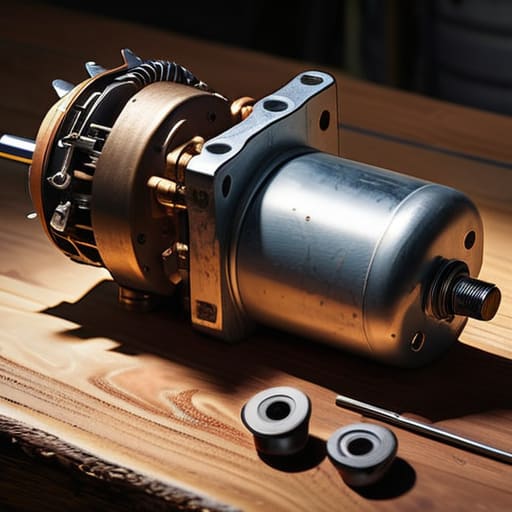
It’s raining sideways, your visibility is basically zero, and that rhythmic thud-thud-thud of your wipers has suddenly turned into a pathetic, agonizingly slow crawl. Most shops will see that and immediately quote you a few hundred bucks for a full assembly replacement, telling you the motor is toast. But here’s the truth: before you go out and drop a paycheck on a brand-new part, you need to realize that most wiper motor repair jobs don’t actually require a new motor at all. Often, it’s just a dead spot in the brushes or a simple linkage issue that’s acting up, and it’s way easier to fix than the guys in the service bays want you to believe.
I’m not here to give you some textbook lecture or a list of parts you can’t afford. I want to show you how to dive in, find the actual culprit, and get those blades moving fast again using just a few basic tools. We’re going to walk through the diagnostic steps together so you can stop getting ripped off and start feeling actually confident under your own hood. Let’s get to work.
Table of Contents
- Step-by-Step Instructions
- Testing Wiper Motor Voltage and Troubleshooting the Electrical System
- Identifying Broken Wiper Arm Symptoms and Common Fuse Failures
- Pro Tips to Save Your Sanity (and Your Wallet)
- The Bottom Line on Your Wipers
- ## Don't Let a Simple Fix Drain Your Wallet
- Don't Let a Dead Motor Stop You
- Frequently Asked Questions
Guide Overview
Tools & Supplies
- Socket set and ratchet for removing motor housing
- Multimeter to test electrical continuity
- Small screwdriver set for internal components
- Wire stripper for cleaning connections
- Electrical contact cleaner (1 can)
- Lithium grease or dielectric grease (1 small tube)
- Replacement carbon brushes (1 set, if applicable)
Step-by-Step Instructions
- 1. First things first, you gotta get access to the motor. Most of the time, it’s tucked way back under the cowl or behind the plastic trim near your windshield. Grab a socket set and start unbolting the wiper arms themselves first so you aren’t fighting them while you’re trying to move the motor. If you don’t, you’ll just end up scratching your paint or snapping a plastic clip.
- 2. Once the arms are out of the way, you’ll need to clear out the debris. I’m talking about all those dead leaves and pine needles that settle in the cowl area. It’s gross, but if you don’t clean that junk out now, it’s just going to fall right back into your workspace and make the whole job a headache.
- 3. Now, disconnect the electrical connector. You’ll see a plastic plug going into the motor. Press the little tab and pull it straight back—don’t yank it by the wires or you’ll be looking at a much more expensive problem. If it feels stuck, a little bit of penetrating oil usually does the trick to loosen up the grime.
- 4. Unbolt the motor from its mounting bracket. Usually, it’s just a couple of nuts or bolts holding it in place. This is where I always reach for my magnetic parts tray in my back pocket. Seriously, don’t just toss those bolts into the engine bay; you’ll spend twenty minutes looking for them in the grease.
- 5. Once the motor is loose, pull it out and take a look at the linkage. If the motor is spinning but the wipers aren’t moving, the problem might actually be a seized linkage or a broken pivot point rather than the motor itself. Give the arms a little wiggle to see if they move freely; if they’re stuck solid, you’ve found your real culprit.
- 6. If you’re actually replacing the motor, go ahead and plug the new one in just to test the connection before you bolt everything down. It’s a lot easier to troubleshoot a wiring issue now than it is after you’ve spent an hour putting the whole cowl back together.
- 7. Finally, put everything back in reverse order. Reattach the motor, reconnect the plug, and then pop those wiper arms back on. Make sure the blades are sitting in the right position before you tighten the nuts down, or you’ll have wipers that don’t clear the glass properly, and you’ll be right back where you started.
Testing Wiper Motor Voltage and Troubleshooting the Electrical System
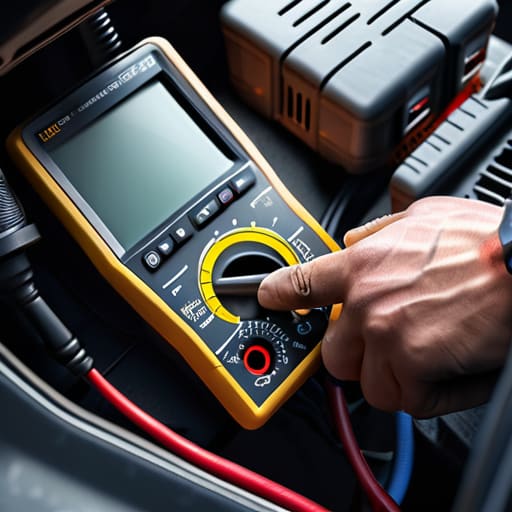
Before you start tearing into the mechanical parts, you’ve got to make sure you aren’t chasing a ghost. A lot of times, what looks like a dead motor is actually just a busted connection or a blown fuse. I always start with some basic windshield wiper motor troubleshooting by checking the fuse box first. It sounds simple, but I’ve seen guys spend two hours swapping out a motor only to realize they just needed a fifty-cent fuse. Grab your multimeter and start testing wiper motor voltage at the connector. If you aren’t getting a steady reading when the wipers are switched on, the problem isn’t the motor—it’s the wiring or the relay.
If you do have power hitting the motor but nothing is moving, you’re likely looking at an internal failure or a seized linkage. Keep an eye out for broken wiper arm symptoms like jerky movements or a loud grinding noise, which usually points to the mechanical side rather than the electrical. Just remember: don’t go buying expensive parts until you’ve confirmed the electricity is actually reaching the unit.
Identifying Broken Wiper Arm Symptoms and Common Fuse Failures
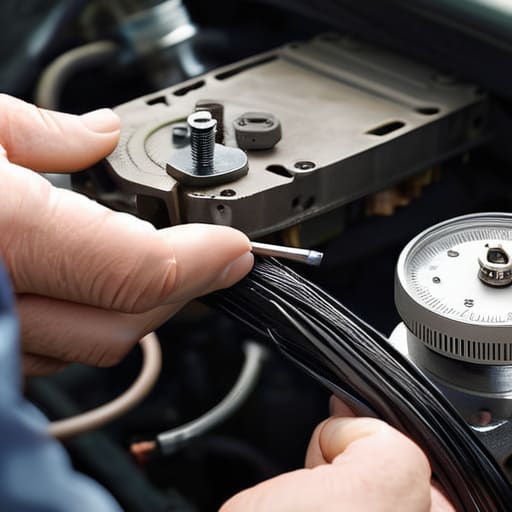
Before you start tearing into the motor itself, you need to figure out if the problem is actually mechanical or if it’s just a simple electrical hiccup. Most people jump straight to buying a new motor, but half the time, it’s just a dead fuse or a loose connection. Keep an eye out for broken wiper arm symptoms like the blades moving in fits and starts, or worse, nothing happening at all even when you hear a faint clicking sound. If you hear that clicking, the motor is likely trying to work, but something in the linkage is jammed or stripped.
If the wipers are completely silent, don’t panic yet. Your first move should always be a quick wiper motor fuse replacement check. Grab your owner’s manual, find the fuse box—usually under the dash or under the hood—and look for the wiper circuit. If that little metal bridge inside the fuse is broken, you’ve just saved yourself a massive headache and a trip to the shop. It’s a five-minute fix that prevents you from chasing ghosts in the entire electrical system.
Pro Tips to Save Your Sanity (and Your Wallet)
- Don’t just swap the motor blindly. Before you spend a dime on parts, grab a multimeter and check if the motor is actually getting juice. If it’s getting power but not spinning, the motor is toast; if it’s not getting power, you’re looking at a fuse or a bad relay.
- Keep your connections clean. Most of the “broken” wiper issues I see at the shop aren’t actually dead motors—it’s just corroded wiring or a loose ground. A little bit of electrical contact cleaner can sometimes be the difference between a $200 repair and a $0 fix.
- Lubrication is your best friend, but don’t go overboard. If your wipers are stuttering or moving slow, the linkage might just be bone-dry or rusted up. A quick spray of some white lithium grease on the pivot points can work wonders, just don’t get it on the actual wiper blades.
- Watch out for the “phantom” fix. If you replace the motor but don’t check the wiper linkage, you might find yourself back in the same spot. If the linkage is seized or bent, your brand-new motor is just going to burn itself out trying to force the arms to move.
- Grab a magnetic tray before you start. I’m telling you, there is nothing worse than pulling out a handful of small clips and bolts only to have them vanish into the depths of your engine bay. Keep everything organized so you aren’t hunting for a 10mm bolt while you’re covered in grease.
The Bottom Line on Your Wipers
Don’t just assume the motor is dead; check your fuses and voltage first, because a $2 fuse is a lot cheaper than a whole new motor assembly.
Most of the time, it’s a simple connection issue or a worn-out part that you can swap out yourself with a basic socket set and some patience.
If you hear the motor running but the blades aren’t moving, you’re likely looking at a broken linkage or arm rather than an electrical failure.
## Don't Let a Simple Fix Drain Your Wallet
Most shops will see a dead wiper and immediately quote you for a full motor replacement, but half the time, it’s just a loose connection or a blown fuse. Don’t let them charge you for a “diagnosis” when you can find the real problem with a multimeter and ten minutes of your time.
Nikolai·Osterman
Don't Let a Dead Motor Stop You
Look, we’ve covered a lot of ground here. From checking that fuse box to actually testing the voltage coming off the battery, you’ve done the heavy lifting that most people just ignore. If you found out it was just a blown fuse or a loose connection, you just saved yourself a massive headache and a hefty shop bill. But even if the motor itself is toast, you now know how to diagnose the actual problem instead of just guessing and throwing parts at it. Remember, the goal isn’t just to get the wipers moving again; it’s about making sure you aren’t getting charged for labor you could have done yourself in your own driveway.
At the end of the day, don’t let a little bit of grease or a confusing wiring diagram intimidate you. Every time you pop that hood and actually touch something, you’re becoming more self-reliant. My dad always told me that the best way to learn isn’t by reading a manual, it’s by getting your hands dirty and seeing how things actually work. You don’t need to be a master technician to keep your ride safe and functional; you just need to stay patient and keep digging. You’ve got this, so grab your tools and keep at it.
Frequently Asked Questions
If I find that the motor is getting power but still isn't moving, is it definitely the motor itself or could it be a bad wiper linkage?
Not necessarily. If you’ve confirmed the motor is getting juice but nothing is happening, don’t just go ordering a new motor yet. It could definitely be a seized wiper linkage. If the arms are stuck or the linkage is bent, the motor might be trying to turn but just can’t overcome the physical resistance. Pop the cowl off and try to move the linkage by hand—if it’s jammed tight, that’s your culprit, not the motor.
Is it actually worth trying to clean the internal brushes of a wiper motor, or am I just wasting my time when I should just buy a replacement?
Look, I’ll be straight with you: it’s a gamble. If the motor is just acting sluggish or making a weird clicking sound, cleaning those carbon brushes and clearing out the grit can definitely breathe new life into it. It’s a ten-minute job. But if the internal gears are stripped or the windings are fried, you’re just spinning your wheels. Try the cleaning first—it’s cheap—but don’t get too attached to a dead motor.
How can I tell if the problem is a faulty wiper switch on my steering column versus an actual issue with the motor or wiring?
The easiest way to tell is to bypass the switch entirely. If you can jump the connection at the motor plug and the wipers kick on, your switch is dead or there’s a break in the wiring. If you jump it and nothing happens, the motor itself is likely toast. It’s a bit of a “cheat code,” but it saves you from guessing and throwing money at parts you don’t actually need.
